Returns
When a customer sends products back, the merchant announces the return. The warehouse receives it, checks the condition and books sellable units back into stock.
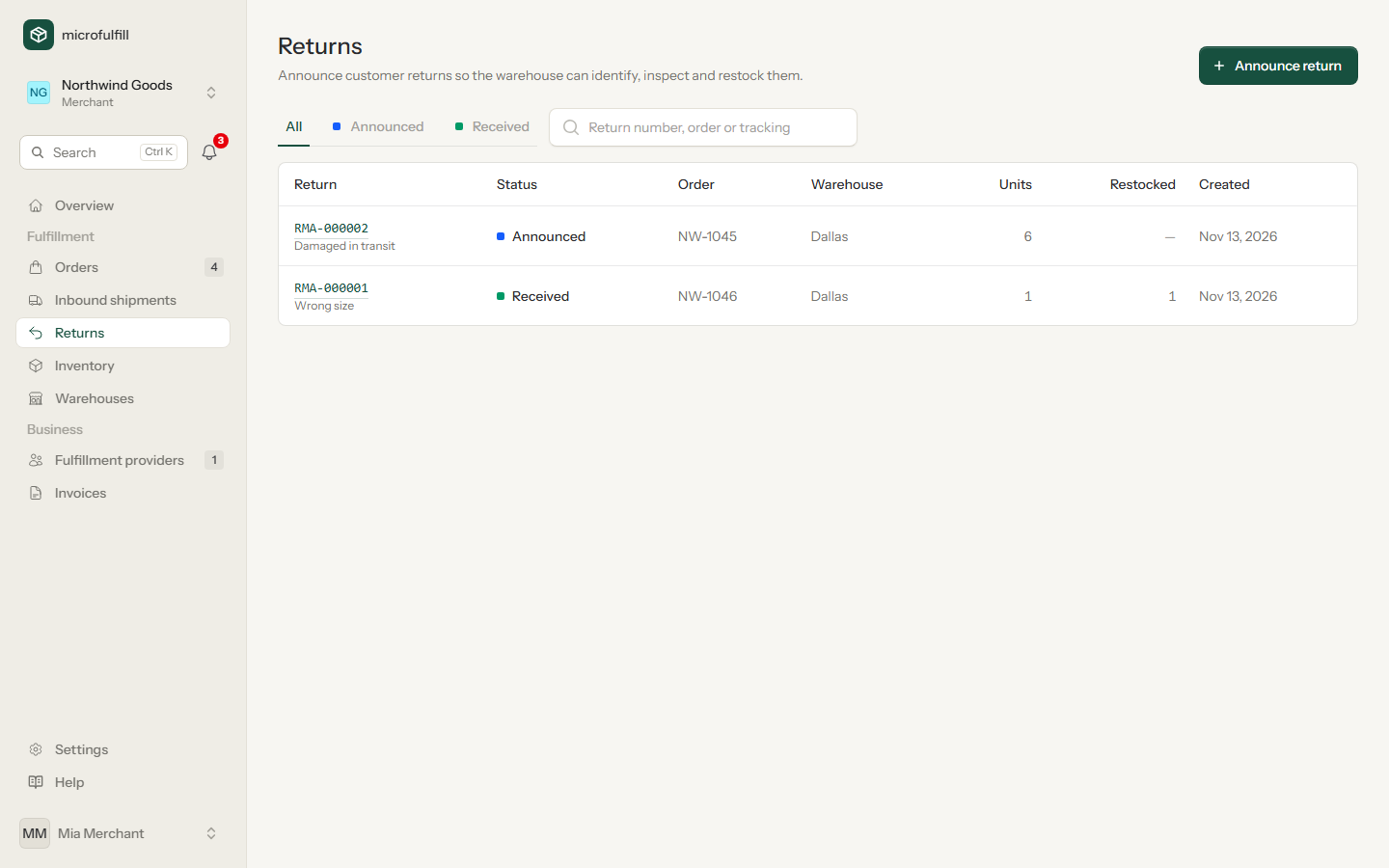
| Status | Meaning |
|---|---|
| Announced | The merchant expects the parcel. The warehouse has been notified. |
| Received | The warehouse received and inspected the return. |
Announce a return (merchants)
- Open a shipped order and click Announce return, or click Announce return under Returns. From an order, warehouse and products are prefilled; remove the products the customer keeps.
- Enter the reason and, if known, the carrier and tracking number of the return parcel.
- Add notes for the warehouse, for example "restock only if unopened".
- Click Announce return.
Every return gets a number such as RMA-000042. Ask the customer to write it on the parcel so the warehouse can match it. Until the return is received, you can change or delete it.
Returns can also be announced through the API.
Receive and inspect (providers)
- Open the return and click Receive & inspect.
- For every product, enter how many units arrived (Received) and how many are in sellable condition (Sellable).
- Add inspection notes, for example "1 unit damaged".
- Click Book into stock.
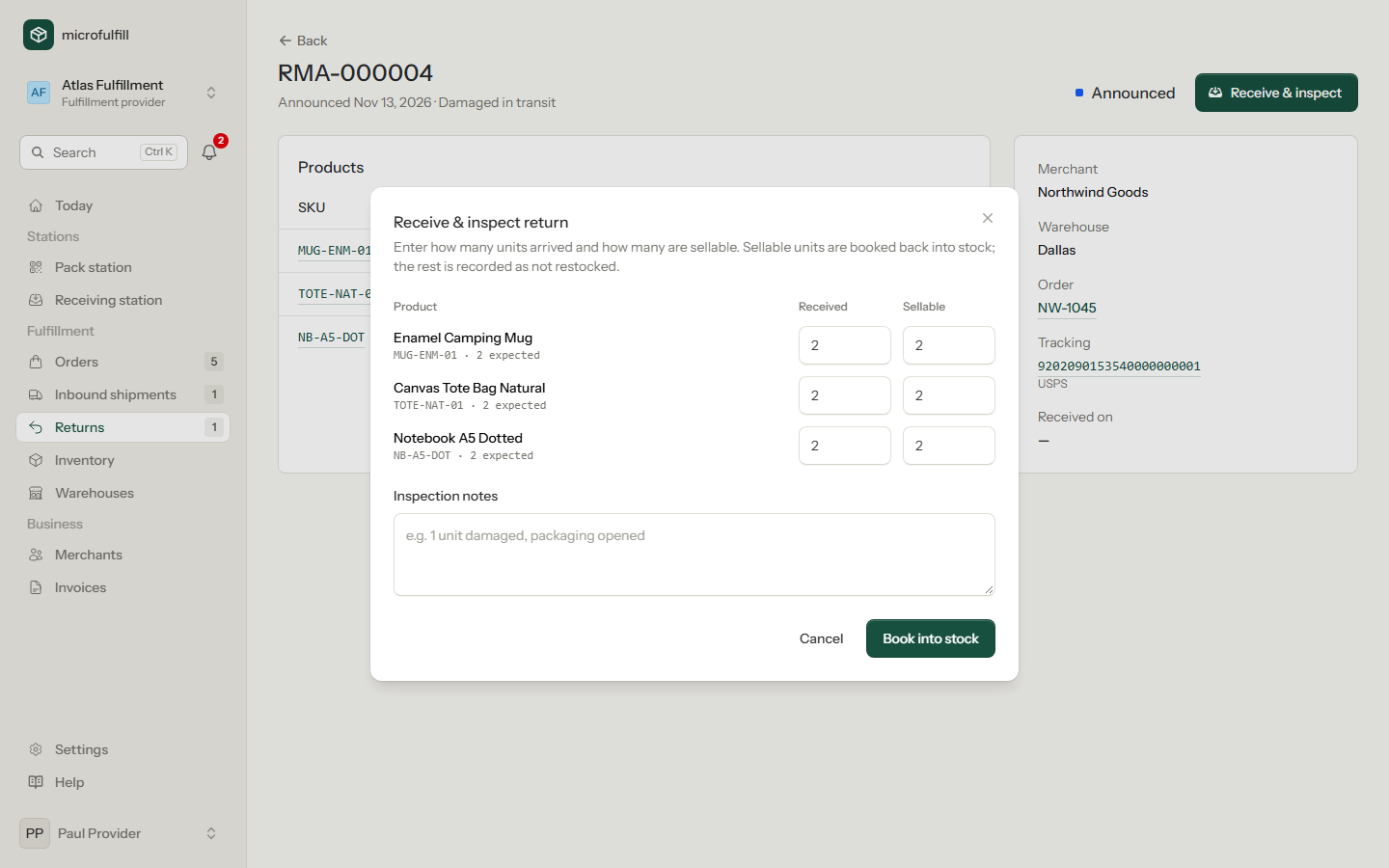
Sellable units are booked back into the stock of your warehouse (shown as Customer return in the stock movements). The rest is recorded as not restocked. The return fee of the partnership is added to the merchant's invoice.
Unannounced returns (providers)
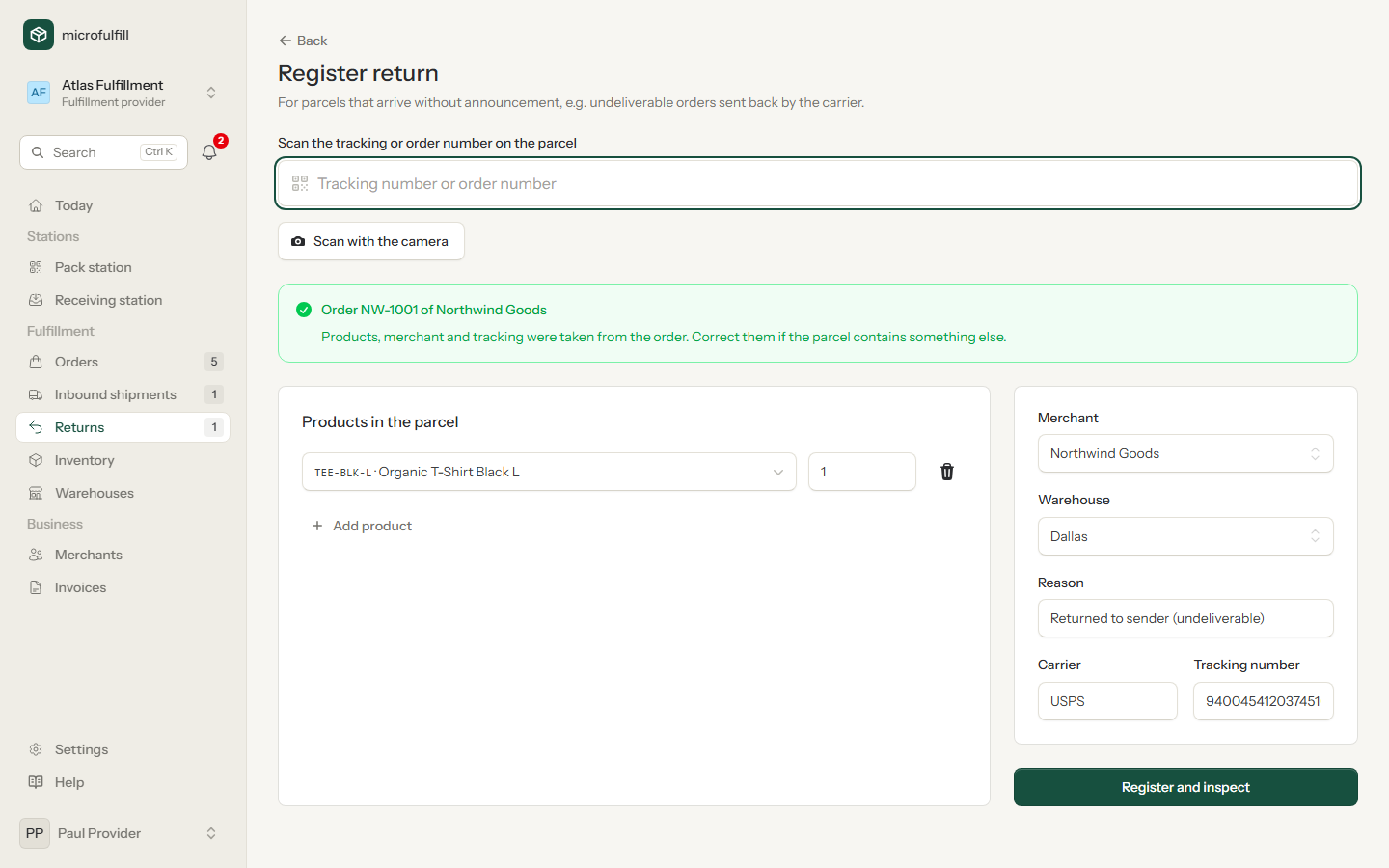
Some parcels come back without announcement, for example when the carrier returns an order because the address was wrong. Register them yourself:
- Under Returns, click Register return.
- Scan the tracking number or the order number on the parcel, with a hand scanner or with Scan with the camera on a phone or tablet. microfulfill finds the order and fills in merchant, products and tracking, with the reason "Returned to sender (undeliverable)". Without a match, choose the merchant and the products by hand.
- Click Register and inspect and continue with the inspection as described above.
The merchant is notified by e-mail when a return was received (announced or not). Unannounced returns are marked in the list.
Ship an order again (merchants)
When a returned order should go out again, for example after correcting the address, open the received return and click Ship again. A new order is prefilled with the products, address and warehouse of the original order and the order number with the suffix -R. Correct the address and save it.