Invoices
Providers invoice their merchants automatically: there is one open invoice per merchant and month. Fees are added when an order is shipped and when an inbound shipment is received.
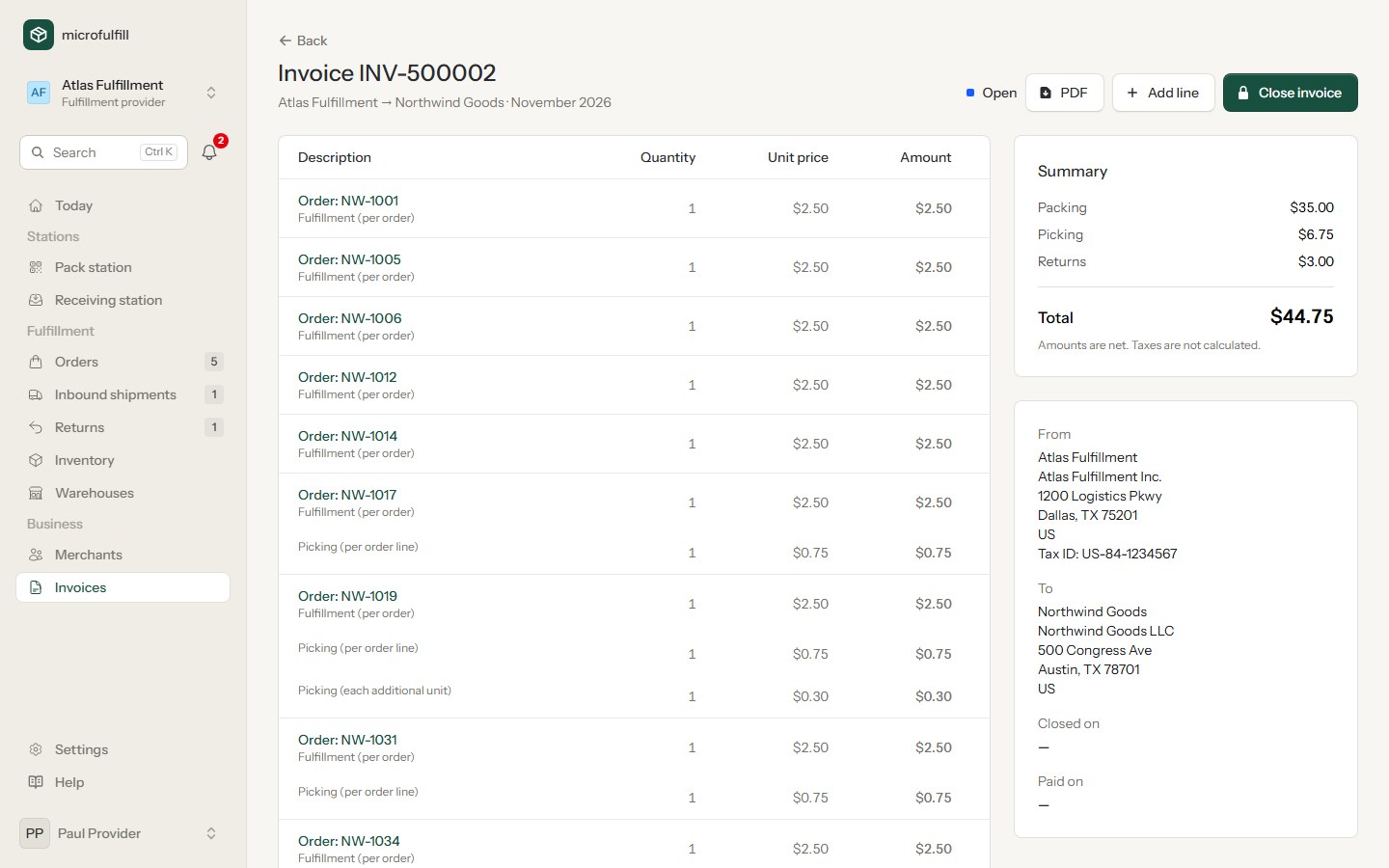
Each line links to its order or shipment. The summary shows the totals per fee type.
Add lines (providers)
Click Add line for storage, packaging material, special handling or a credit (negative unit price). Manual lines can be removed while the invoice is open.
Close and mark as paid (providers)
- At the end of the period, click Close invoice. It cannot be changed afterwards; new fees go to a new invoice.
- When the merchant has paid, click Mark as paid.
PDF
When an invoice is closed, its PDF is created and stored, so it stays exactly as issued. Click PDF on the invoice or the download button in the list of invoices. For open invoices the PDF is a preview that may still change.
Amounts are net. Taxes are not calculated.