Start page
The first page after signing in shows what you have to do next. Merchants get Overview, fulfillment providers get Today.
Merchants: Overview
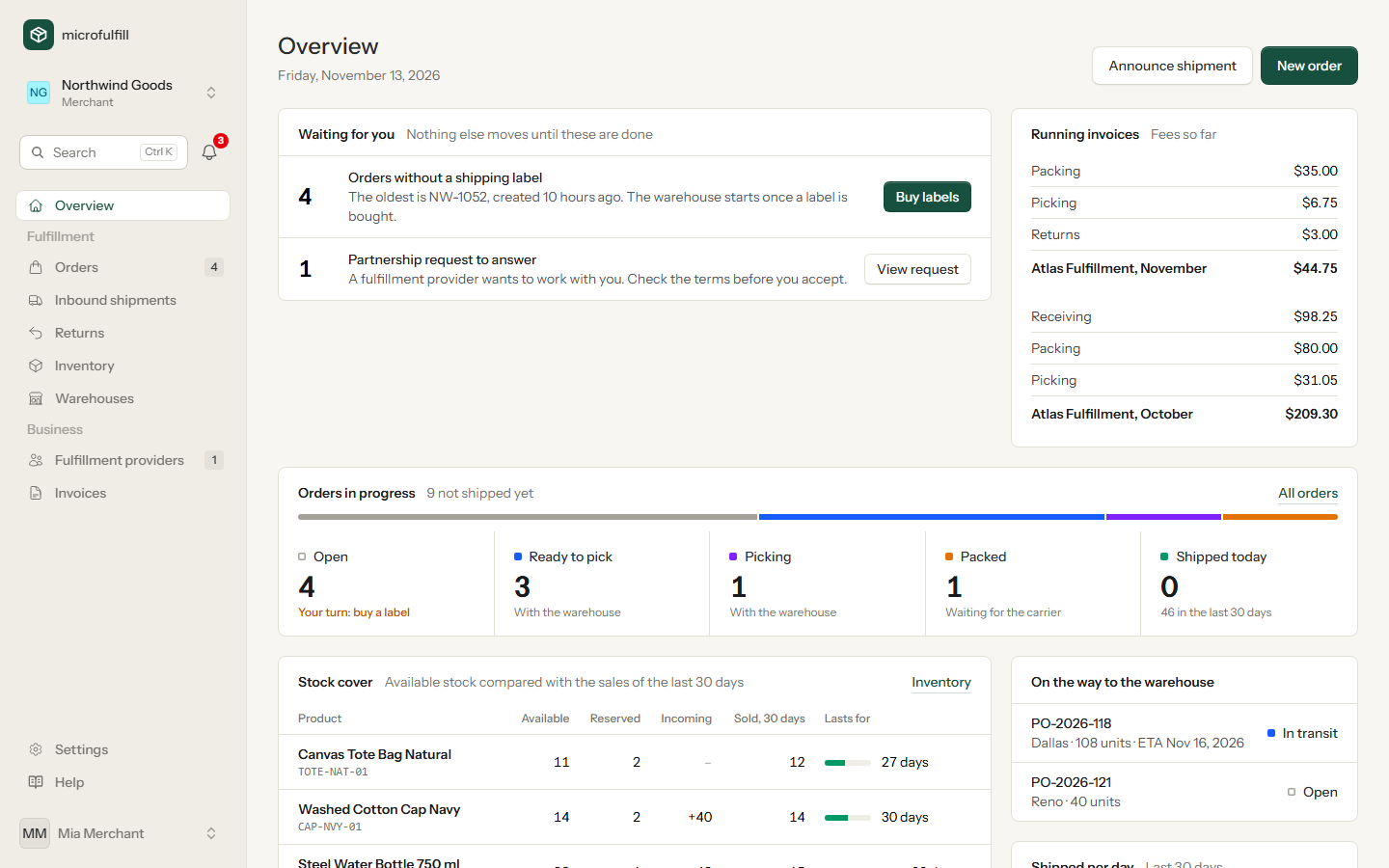
- Waiting for you lists what only you can move forward, each with a button that takes you there: orders without a shipping label, products that are running low, partnership requests to answer and unpaid invoices. If the list is empty, nothing is waiting for you.
- Running invoices shows the fees of the current, not yet closed invoice of each provider, summed per kind of fee.
- Orders in progress counts your orders per status and says whose turn it is: yours while an order has no label, the warehouse's while it is picked and packed, the carrier's once it is packed. Click a status to open the matching orders.
- Stock cover compares the available stock of a product with its sales of the last 30 days and shows for how many days it lasts. Products that last less than 14 days, or that reached their low-stock alert, are marked and appear under Waiting for you. Products without sales in the last 30 days are only listed when they reached their low-stock alert.
- On the way to the warehouse: your inbound shipments that have not been received yet.
- Shipped per day: shipped orders of the last 30 days. Below the chart: Label to shipped, the typical time (median) between buying the label and the parcel being shipped, and the share of orders shipped the same day. Both cover the last 30 days.
Fulfillment providers: Today
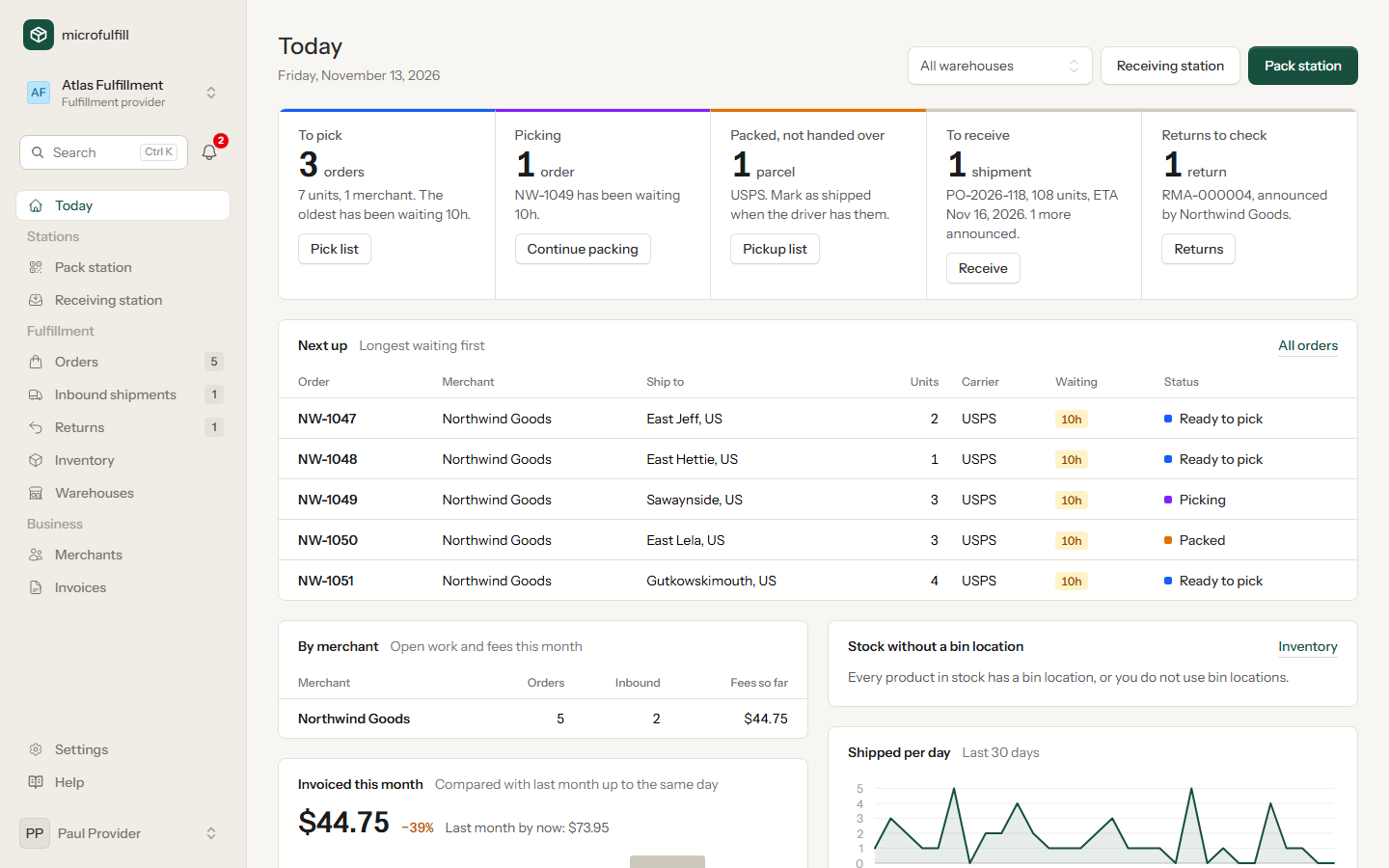
The row at the top is the work queue of your warehouses, one field per step:
| Field | Shows | Button |
|---|---|---|
| To pick | Orders with a label that nobody has started, their units and how long the oldest has been waiting | Opens these orders, where you print the pick list |
| Picking | Orders being picked | Opens the pack station |
| Packed, not handed over | Parcels waiting for the carrier | Opens these orders, where you print the pickup list and mark them as shipped |
| To receive | Inbound shipments on their way, with the next one due | Opens the receiving station |
| Returns to check | Returns announced by your merchants | Opens the returns |
Below it:
- Next up lists the orders in fulfillment, longest waiting first. The waiting time counts from the moment the label was bought. Orders waiting longer than 4 hours are highlighted.
- By merchant shows open orders, inbound shipments and the fees of the running invoice per merchant, and tells you if closed invoices are unpaid.
- Invoiced this month adds up the invoice lines of the current month and compares them with last month up to the same day, split by kind of fee and with your three largest merchants. The bars show the last six months; the running month is highlighted. Lines count as soon as they are added, before the invoice is closed. The figure always covers all warehouses.
- Stock without a bin location lists products in stock that have no bin location yet, in warehouses where you use bin locations.
- Shipped per day: shipped orders of the last 30 days. Below the chart: Label to shipped, the typical time (median) between buying the label and the parcel being shipped, and the share of orders shipped the same day. Both cover the last 30 days.
If you have more than one warehouse, choose one at the top right to limit the page to it.
The pack station and the receiving station have their own group Stations in the sidebar. The numbers next to Orders, Inbound shipments and Returns show open work on every page.